How Real-Time Hijack Visibility Helped Us Close a $550K Deal in Mexico
Motive helps trucking companies prioritize safety and compliance. When Trayecto, one of Mexico's largest fleets, operating ~5,000 trucks, faced the threat of vehicle theft, they needed more than a primary tracker.
The plan on paper: deploy the Asset Gateway Mini as a covert, battery-powered backup GPS device, hidden within trucks as a last line of defense against theft.
ROLE
Senior Product Designer
DELIVERABLES
State diagrams
End-to-end user flows
Rapid prototype
UX Copy
TEAM
1x Product Manager
1x Director of Design
1x VP of Design
2x Engineering Managers
YEAR
2025-26
Intro
The growing need for recovery in a high-theft market
But first, meet Asset Gateway Mini
A compact, wire-free tracker designed for fleets managing large inventories. It runs on a 5-year battery, works both wired and wireless, and delivers real-time location tracking even where GPS signal is weak.
When assets go missing, recovery is everything
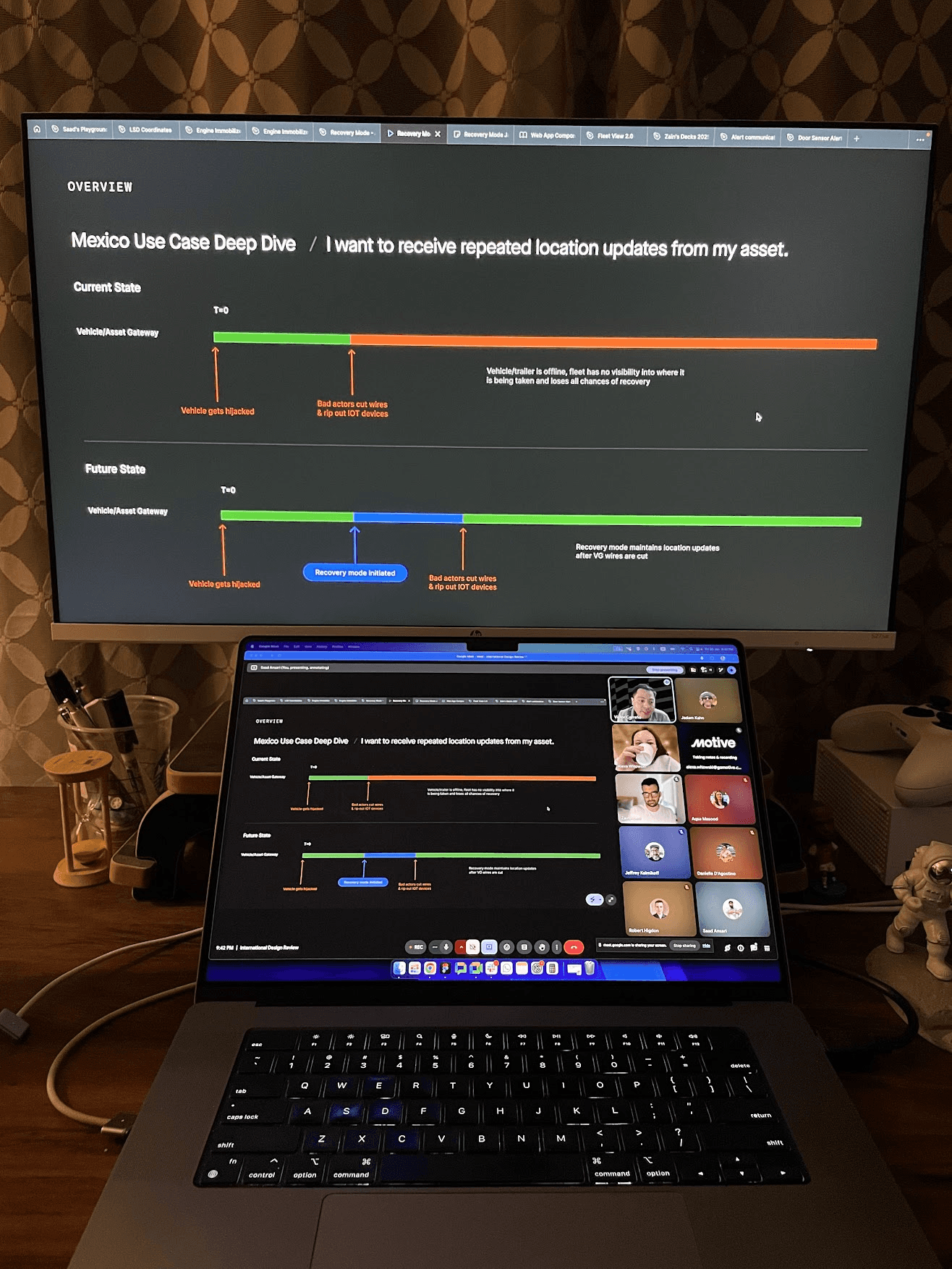
In Mexico, hijacking is a calculated operation. Within minutes, thieves trace and cut wires, taking every IoT device offline and leaving fleets completely blind to their stolen assets.
Battery-powered Asset Gateways offer a way around this. Hidden on rooftops and trailer tops, they are harder to find and keep reporting location even after wires are cut. Fleets needed a way to instantly switch these devices into a high-frequency ping mode the moment a hijack is suspected. That solution is Recovery Mode.
As lead designer on the International Expansion team
Problem
The ping problem that leaves fleets blind
Hijacking in Mexico is fast and calculated
Within minutes of taking a truck, thieves trace and cut every wire. Every wired IoT device goes offline. The fleet goes dark. What is left is the Asset Gateway Mini, quietly sitting on a rooftop, still powered, still able to transmit.
But there is one problem.
By default, battery-powered Asset Gateways only ping every 8 to 12 hours. In a hijacking situation, that is not a minor inconvenience. It is the difference between recovering the truck and watching it disappear across a state line.
The numbers from our field research team in Q3 2025:
9,238
Heavy trucks stolen in 2023, the highest count since 2019.
36/day
Trucks hijacked or stolen every day across Mexico.
57%
Of thefts happen while vehicles are actively in transit.
Challenge
An existing tool with one critical gap
Motive already had a starting point
Locate My Asset (LMA) is an algorithm that lets operators trigger a one-time location ping from a battery-powered Asset Gateway over the mobile network. In normal conditions, it worked well enough.
But it had a hard limit baked in. Once triggered, no follow-up request could be sent for 8 hours. The refresh button disabled completely until the window reset.
In a hijacking, where a stolen truck can cross state lines in under two hours, that is not a recovery tool. It is a waiting game.
Two use cases shaped the entire scope
Through field research, two situations kept surfacing from operators.
The first: an asset silently stops reporting and the fleet manager needs a location now, without manually refreshing and hoping. The second: an active theft is suspected and the operator needs high-frequency updates every 15 minutes to coordinate a real-time recovery.
LMA could not handle either. That gap became the design brief for Recovery Mode.
Research
What we heard from the field
We started with conversations, not wireframes
Before touching any design tools, we sat with the sales team, field researchers, and fleet operators who had lived through a hijacking.
The same thing came back every time: the moment a truck went dark, operators felt completely powerless. They knew the Asset Gateway Mini was still on the truck. They just had no way to activate it when it mattered most.
The competitive gap was ours to own
More than four fleets across the region flagged the same gap independently. None of the competing platforms had addressed it. Solving it for Trayecto meant we would have a repeatable answer for every high-theft market we entered next. This was not just a feature, it was a market differentiator.
Weekly design reviews kept the team sharp
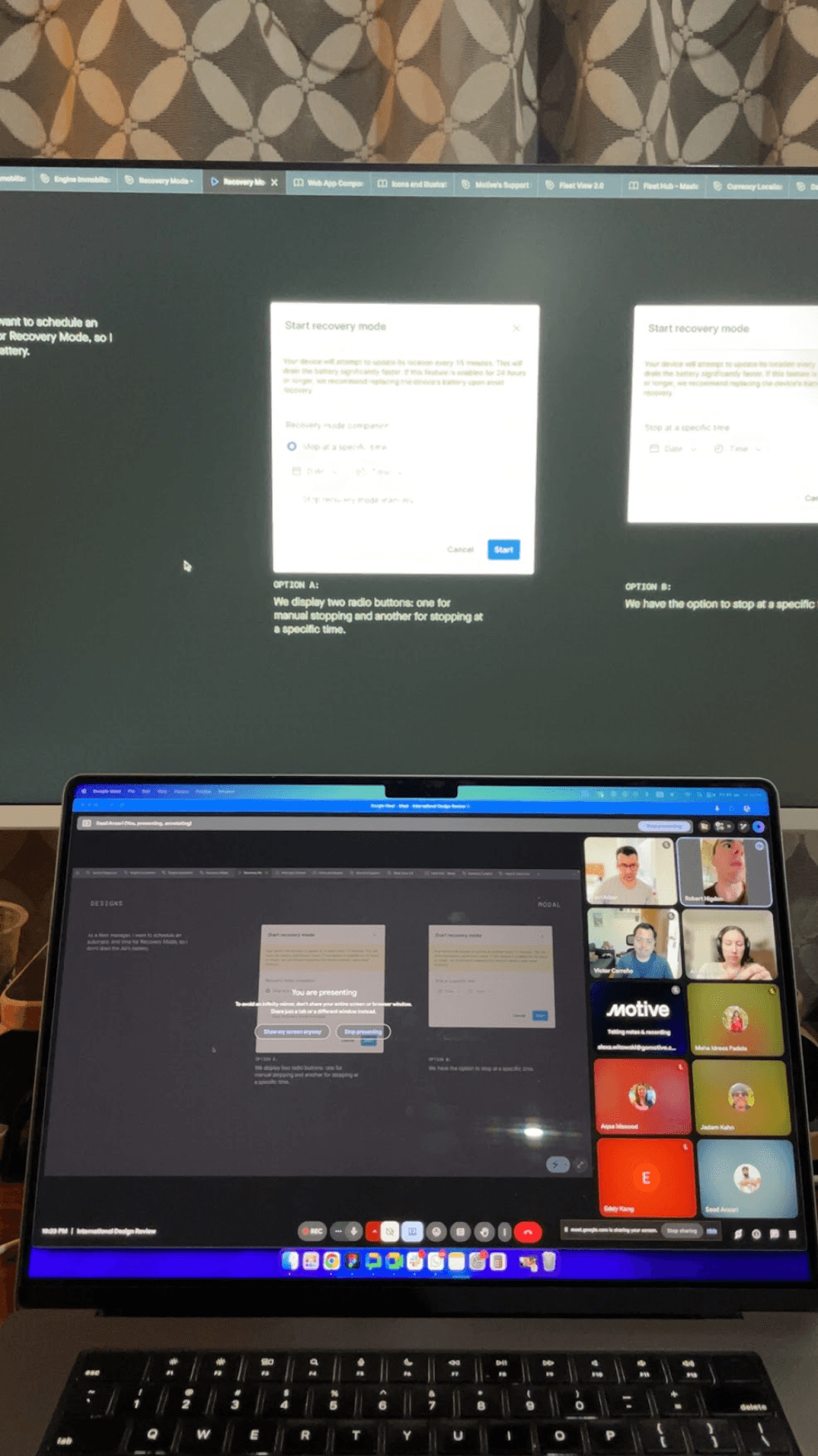
We ran weekly cadences with the full cross-functional group and presented evolving concepts to leadership from the very beginning. Early sessions surfaced a key tension that shaped everything after: operators wanted full control, but too many options in a high-stress moment would slow them down at exactly the wrong time.
Exploration
From too many choices to exactly the right one
Early concepts gave operators a lot of control
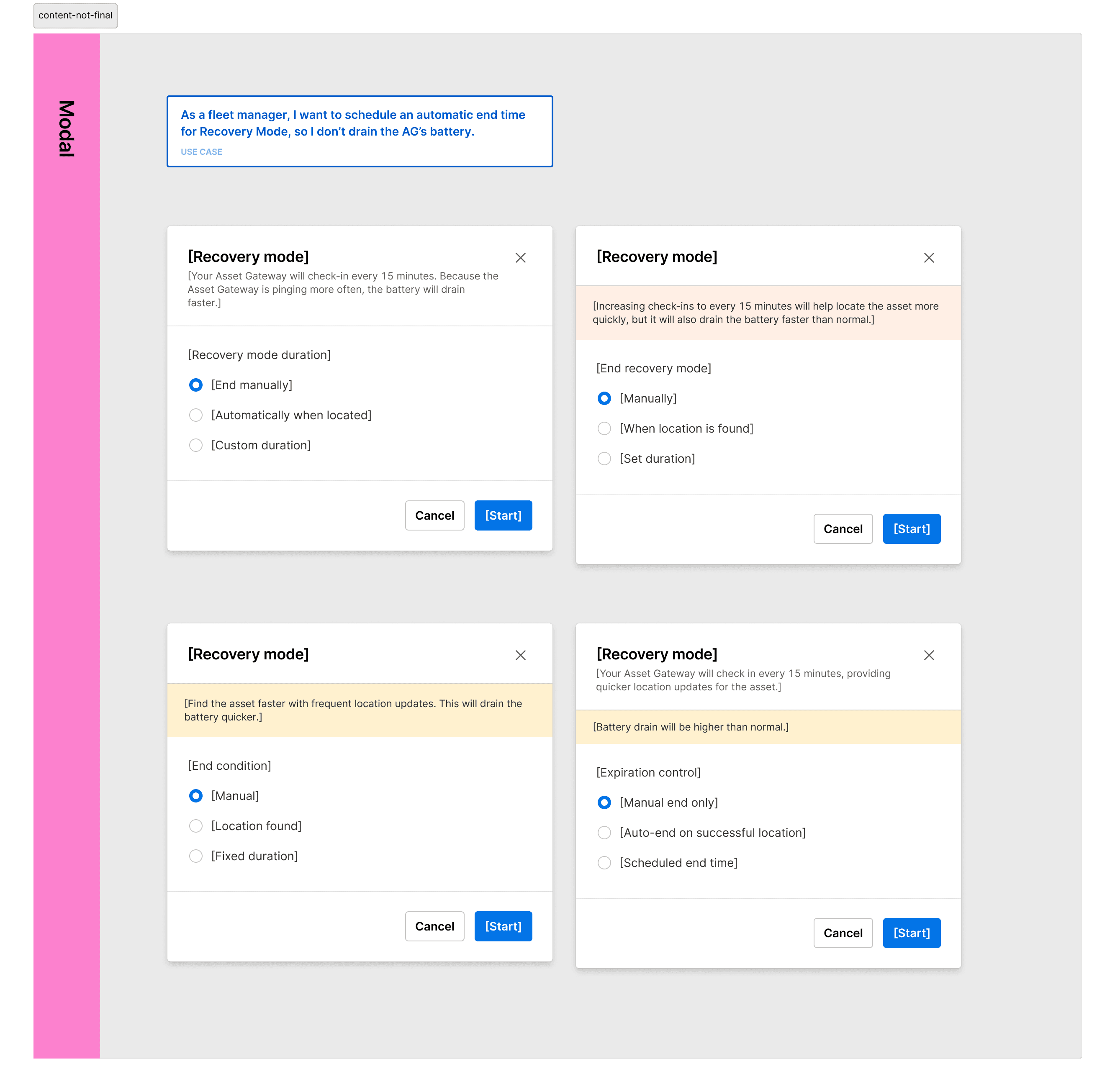
Our first explorations let users configure Recovery Mode before activating it: ping frequency, duration, notification preferences. Flexibility felt right on paper. In practice, it added friction at the worst possible moment.
The question that cut through everything
We kept asking one thing in every review: what does a fleet manager actually need at 2am when a truck just went dark? They do not need options. They need to act. The more we pressure-tested the early flows with that framing, the more we stripped back. Each weekly review removed something. By the third iteration, the trigger was a single action with one confirmation.
The design principle that stuck
Speed of activation is a safety feature. Every extra tap is a tap taken during an emergency. That became the lens for every decision that followed.
Pivot
A mid-project discovery that changed everything
The CPO asked a question we had not fully answered
Midway through the project, during a broader product review, Hemant Benawar (CPO) raised something that reframed the entire workflow. Before a fleet manager activates Recovery Mode, they first need to formally acknowledge that something is wrong.
Jumping straight into high-frequency pinging without that step meant no record, no intent signal, and no structured starting point for what is essentially a recovery operation.
The insight: Mark as Missing comes first
Recovery Mode should not be a standalone toggle. It should be the second step in a deliberate two-step sequence. The fleet manager marks the vehicle or asset as missing first. That action logs the event, sets context, timestamps the incident, and unlocks Recovery Mode as the natural next step.
This was not a setback. It made the product sharper. Operators got a structured way to initiate a recovery rather than reacting in panic. Motive got a clean audit trail for every incident, useful for reporting, insurance, and platform analytics.
What it meant for the design
The flow shifted from a single action to a deliberate two-step sequence. That change touched the entry point, the modal logic, the status states, the visual treatment of the asset detail view, and how Recovery Mode was surfaced in the UI. We went back to the flows and rebuilt from that new foundation.
Solution
Two steps, one clear path to recovery
Step one: Mark as Missing
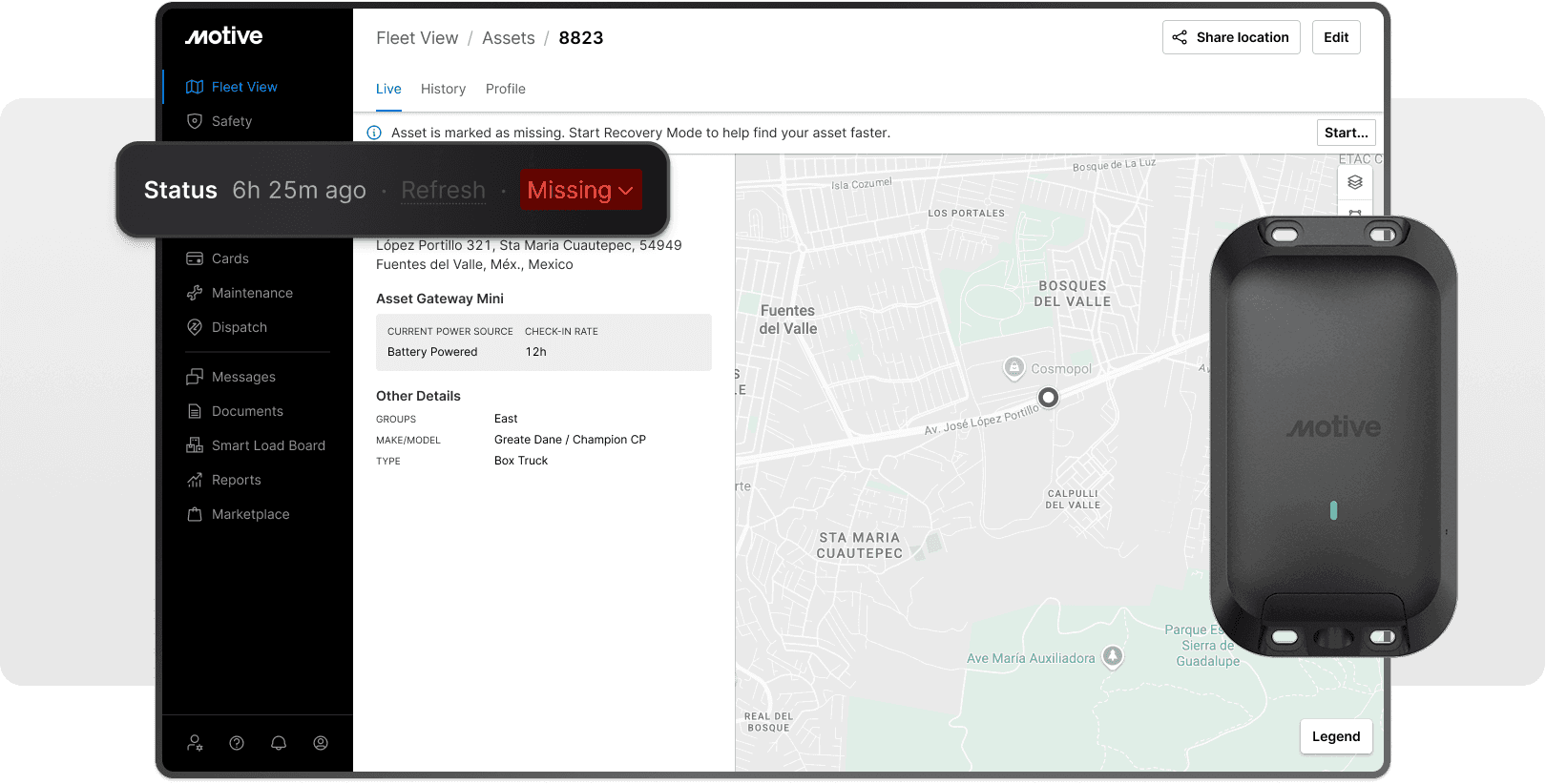
From the asset detail view, a fleet manager changes the asset condition to Missing. A modal walks them through the change, confirms the action, and triggers a toast notification to close the loop. The asset enters a flagged state immediately, shown with a red Missing banner across the detail view. The timestamp is logged. The incident officially begins.
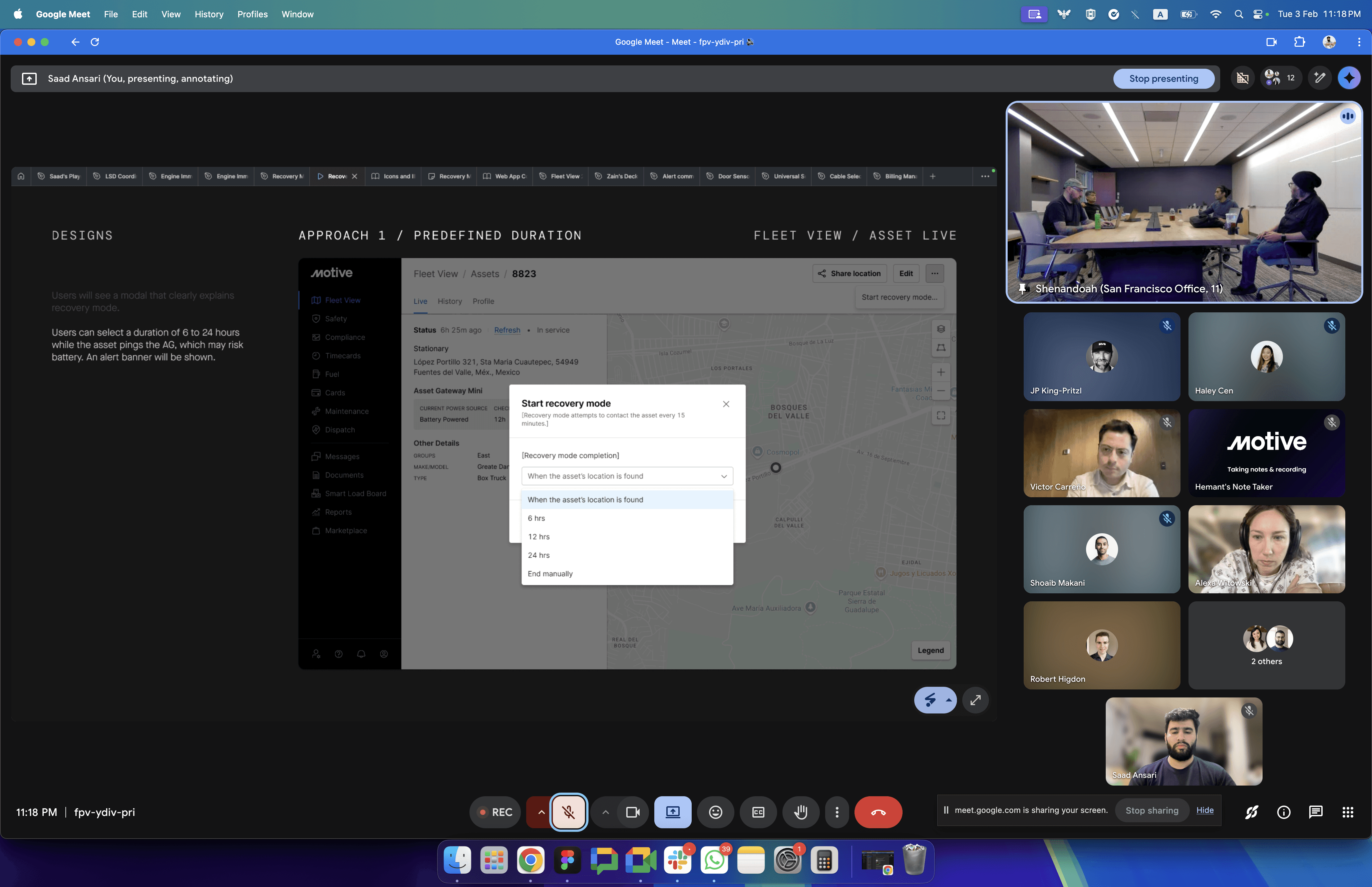
Step two: Activate Recovery Mode
Once an asset is marked as Missing, Recovery Mode becomes available. A single confirmation switches the Asset Gateway from its default 8-to-12 hour ping cycle to updates every 15 minutes. The mode stays active until the asset is found or manually stopped.
Designed for every realistic transition
The primary flow was only part of the work. We mapped eight distinct state transitions: In Service to Missing, Missing to In Service, Missing to Out of Service, Out of Service to Missing, and more, each with Recovery Mode either on or off at the time of the change.
One detail that mattered: if a manager updates the asset condition while Recovery Mode is running, the system stops Recovery Mode automatically. No orphaned sessions, no silent battery drain.
The alert system closes the loop
Not every fleet manager can stay glued to a dashboard during a recovery. We designed three email alert scenarios to keep them informed at the right moments.
If the asset's location is found and the manager had selected "stop when found," one final alert fires and Recovery Mode ends. If they chose to keep it running, an alert fires on every new location ping so the team can track movement in near real-time. If neither scenario resolves the situation and the 24-hour timer expires, a final alert notifies the team, shares the last known location, and closes the session.
The 24-hour limit was a deliberate design decision, not a technical constraint. Battery life on the Asset Gateway Mini is finite. Leaving Recovery Mode running indefinitely would drain the device and potentially leave it unusable for future incidents. The timer protects the asset while giving operators a meaningful window to act.

Outcome
The deal closed, and the design held
Trayecto signed
Recovery Mode shipped ahead of the install date. The feature was central to closing the $550K deal with Trayecto and became a core part of how the team pitches the platform to fleet operators across high-theft markets.
Direct attribution is rare
During the final leadership review, Victor noted that Recovery Mode was the single feature that moved the deal from interested to committed. For a team that ships incrementally and measures impact across long cycles, that kind of direct attribution stands out.
A repeatable answer for international markets
Beyond Trayecto, this work created a pattern the International Expansion team can carry into every new market with similar conditions. The two-step workflow, the state diagram, and the alert logic are now part of the playbook.
Reflection
What I would do differently
Involve operators earlier on edge cases
The core flow landed well. Some of the finer details, like where to surface the battery warning and how the deactivation confirmation copy should read, were decided quickly under timeline pressure. Earlier operator input on those specific moments would have made them sharper.
The timeline pressure was productive
Constraints forced decisions. There were moments where more time might have opened up more exploration, but not necessarily a better outcome. Shipping something focused and fast was the right call for this context, and the discipline of removing things rather than adding them is something I would carry into every project after this.